
LED Screens for Exhibitions
LED Screens for Exhibitions Planned with the Booth, Not After It
LED screens for exhibitions go wrong in predictable ways: the wrong kind for the hall light, a video wall too coarse for the people standing next to it, a film made for television stretched across a wide canvas, a power line nobody ordered. This page explains how to get a screen right before you order it: video wall, LCD panel or projector, how large and how fine, where it sits in the booth, what it needs from the structure and from the organiser, and what to put on it.
What Decides Whether a Screen Earns Its Space
A screen is the most expensive surface in most booths and the easiest to get wrong. With LED screens for exhibitions, these decisions come before the brand, the model or the price.
The closest viewer sets the pixel pitch
An LED surface is a grid of pixels, each a point of light, and pixel pitch is the gap from each pixel to the next. Stand close to a coarse grid and you see dots, not a picture. So the first question is where the nearest visitor will stand. At arm's length from a wall behind a counter you need a fine pixel pitch, while a video wall read from across the aisle can be coarser and cost far less for the same area.
Indoor and outdoor panels are different products
Outdoor panels are sealed against dust and rain and built far brighter, to stay readable in direct sun, usually with a coarser pixel grid. Inside a hall they dazzle at close range and show their pixels. Indoor panels are finer and gentler, but they wash out in sunlight and nothing protects them from the weather. Name the place and the hours of the event before anyone names a panel.
Height decides who sees it
People stand in front of screens. A headline placed at eye level is hidden by the first row of visitors, so the main picture belongs above head height, where it reads over a crowd from the aisle. Anything a visitor has to touch or study in detail sits lower and at the edge of the booth, where a person can reach it without blocking everyone else.
The booth has to carry it
A video wall is heavy, gives off heat and needs power and data at its back. That makes it part of the structure, not an accessory added in the last week. On our stands the brackets, the power points and the cable routes for every screen are drawn before any panel is cut.
What Works Around the Screen
A screen is a part of the stand, not the whole of it. The people below share a roof with those who build the wall behind it.
Printing & Promotional Gifts
The printed walls beside the screen, in large format, so the fixed message stays readable when the film moves on to its next scene.
Acrylic & Wood Fabrication
A lit logo and raised lettering above or beside the screen, cut on our CNC and laser machines, so the brand name never depends on the loop.
Promoters & Brand Ambassadors
Hosts with a supervisor, who know before opening how the screen starts. A screen earns its keep when the host points at it during the conversation.
Branding & Creative Studio
The identity and the message, settled before they go onto the walls and the screens, so print and picture carry the same logo and the same colours.
Digital Solutions
Interactive screens, a touch table and visitor registration on a tablet, tied to a database you receive after the show.
Experiences & Events
At a conference we build the stage, the backdrop and the screens, positioned so the last rows can still read them.
Social Media & Content
Stills and short clips of the stand in use, shot during show hours and ready to post the same day.
Custom Exhibition Stands
The full service for the stand that holds the screen, from the first drawing to dismantling.
Types and Shapes of LED Screens for Exhibitions
The word screen covers very different equipment. Each kind below suits a different distance, a different light and a different budget.
The flat LED video wall
Modules lock together into a single bright picture with no visible seams, in almost any width and height. It holds its colour under hall lighting and reads from far away, which is why it has become the main surface of large stands. For a small picture it is the dearest option, and it needs a frame, a processor and someone who knows how to set it up.
Corner wraps and the curved video wall
Because a video wall is made of modules, it can turn a corner without a break or follow a curve, concave to surround a visitor or convex around a rounded form. A wrap on a corner stand is seen from both aisles at once. Either shape needs content drawn for it, because a straight line in an ordinary film bends or breaks at the corner.
Columns, header bands, ceilings and floors
A column clad in LED on every face works as a tall sign seen from all sides. A narrow band around the top of the stand carries a name or a moving line. A ceiling panel, or a floor of tiles made to be walked on, turns a room into an experience. Each is an unusual shape with an unusual pixel count, so its content is made for it alone.
The transparent screen in front of a product
Thin strips of pixels with open gaps between them, so the eye passes through. Placed in front of a product, a model or a glass front, it leaves the object visible while pictures move across it. Black pixels are simply unlit and read as clear glass, so content for a transparent screen is designed with black as the window.
LCD display panels and touch screens
A flat panel like a large television, sharp enough to read a table of figures or follow a software demo from a step away, and far cheaper than an LED video wall at small sizes. Joined into a grid, the panels show thin frames that cut across faces and text. Touch versions and touch tables suit a product finder, a map or a catalogue that a single visitor explores at their own pace. In a shell scheme, where the organiser's walls carry no weight, the screen usually stands on a floor mount.
The projector
The cheapest way to make a very large picture, and the weakest in a bright hall, where light from the roof washes the image to grey. It also needs a clear path from lens to surface that no visitor walks through. It earns its place inside an enclosed, darkened room, or when the picture has to fall on a model, a shape or a floor.
The Screen, from Idea to Switch On
A screen touches the design, the structure, the electricity order and the content. This sequence keeps each of them from surprising the others.
Give the screen a job
Decide what it is for before deciding what it is: stopping people in the aisle, showing a product at work, supporting a presenter, or letting a visitor explore alone. Then mark where the nearest and the farthest viewer will stand. Those answers settle the kind of screen, its size and its pixel pitch.
Read the exhibitor manual
The manual states the height limit, the sound limit, the rules for screens near the aisle and for anything hung from the roof, and the last day for ordering power. We work from it before the first line is drawn and prepare the drawings the organiser asks for. The approval is theirs.
Draw the screen into the stand
The design shows the screen at its real size, with the frame that carries it, the air gap behind it, the way a hand reaches a faulty module, the cable routes and a ventilated cupboard for the processor and the player. That frame, the mounting and the power routes are our part of the job, and they are built with the stand itself.
Fix the canvas and brief the content
A video wall has no standard resolution the way a television has. Its canvas is the number of pixels across and down, which follows from the module count. That figure, with the shape and the file format, goes to whoever produces the content together with the first drawing, so the film is made for the wall and not adapted to it afterwards.
Switch it on in the factory
Every stand is fully test assembled in our own factory before it ships, with its screens and lighting running. That is the moment to play the real content on the real canvas, look at it from aisle distance, and correct a crop or a small font while a correction is still cheap.
Install, set and hand over
Our own team installs the stand, connects it to the power ordered from the organiser and switches the screens on. Before the doors open, have the brightness set against the light of that hall, watch the loop from start to end, and make sure the people staffing the stand can start it, restart it and bring up the still image if anything fails.
How Long It Takes
Custom stand with a built in video wall
6 to 8 weeks from brief to opening, provided the screen is decided at the design stage.
Island or double deck
8 to 10 weeks, since the structure and the organiser approvals need more time.
Modular stand with a screen
A modular stand with new graphics takes 2 to 4 weeks, with the screen on its frame or on a floor mount.
Power and rigging orders
The deadline is in the exhibitor manual, not in our schedule. The quote states the last day to decide.
What Makes a Screen Cost More or Less
There is no price table here, because LED screens for exhibitions are priced from the drawing and the number of show days. What follows is what pushes the figure up or down, so that offers can be read side by side.
Area and pixel pitch together
Cost follows the surface, and it climbs steeply as the grid gets finer, because a finer video wall packs many more pixels into the same area. A wall that is a little smaller, or a little coarser where nobody stands close, is often the largest saving available.
Shape
A flat rectangle uses standard modules and a standard frame. Corners, curves, columns, floors and transparent surfaces need special modules or special framing, longer setting up, and content made for that shape alone.
Hired or bought, and for how many days
A hired screen is priced by the show days plus delivery, set up and collection. A bought screen is priced once and then costs travel cases, storage, spare modules and maintenance. The quote should say which applies.
Structure, rigging and power
A video wall standing on the floor needs a base and bracing. A wall hung from the roof needs rigging points, which the venue supplies and charges for. The dedicated power line is ordered from the organiser. Organiser charges stay separate from the builder's lines.
Processor, player and people
Behind the picture sit a processor, a media player, cabling and spares, and someone who sets the video wall up and can be reached during show hours. Ask whether each of them is inside the price, and who it is.
Content
A loop made for the exact pixel canvas costs more than reusing an advert, and it is the part visitors actually see. Motion design, both languages, a version for each screen and a still fallback are all work. Content normally stays with your team or your agency, so give it a budget line of its own.
Tell us the show and its dates, the size of your space and what the screen has to do. Within 24 hours you receive an itemised quote in which the screen is a named line that states who supplies it, whether it is hired or bought, its size and its content format. Request a quote or message 0567069088 on WhatsApp. To see how a budget is put together line by line, read our guide to exhibition stand cost in Saudi Arabia.
What the Exhibitor Manual May Limit
For LED screens for exhibitions the exhibitor manual decides more than the design does. Many manuals cap the height of a stand and of everything on it, set a sound level, and ask that a screen be set back from the aisle or turned inward, so that a crowd does not block the passage and a bright wall does not face a neighbour. Hanging a screen from the hall roof needs rigging points and written approval, and the lifting is normally done by the venue's own riggers. A tall or heavy video wall can call for a structural drawing. None of this is ours to grant: we prepare the drawings and the details the organiser asks for, and the manual decides. The wider picture of every kind of booth is on exhibition booths in Saudi Arabia. A wall built into the architecture of the stand belongs to custom exhibition stands, and how its frame is made and tested is on the exhibition booth manufacturing page. Screens for a hall of seats, with a stage and a backdrop, are part of exhibition and conference setup, and a screen that runs a game or a live demonstration sits with experiences and events. For a whole event with its programme, see event management in Saudi Arabia. The identity your content has to follow comes from the branding and creative studio. Check how many weeks are left before your show in the Saudi exhibitions calendar, and see where a screen sits in a budget in our article on exhibition booth prices.
Questions to Answer Before a Screen Is Ordered
Answer these in writing and every supplier of LED screens for exhibitions quotes the same thing. Leave them open and every offer describes a different screen.
Who stands closest, and who stands farthest?
The closest viewer sets the pixel pitch, and the farthest sets the size of the picture and of the lettering. A wall behind a reception counter and a wall high on a stand that faces a wide aisle are different purchases, even at the same dimensions.
What will play, and who makes it?
A product film, a live software demo, a presenter's slides and a camera feed each ask something different of the screen and of the player. Name who produces the content, when it is delivered, and who checks it on the real canvas.
A single show, or a year of them?
For a single show, or a few a year in different sizes, hiring is the sensible route: the video wall is sized for each stand and somebody else owns the spares. Buying starts to make sense when the same screen works often, or lives in your showroom between shows.
What does this show allow?
Height, sound, rigging from the roof, screens near the aisle and the power deadline differ from show to show and from venue to venue. Read the manual of this edition, not your memory of last year.
Who answers when it goes dark?
Ask who supplies the screen, who sets it up, who can be reached during show hours, whether spare modules from the same batch are in the hall, and how long a swap takes. Those answers belong in the quote, not in a phone call on opening morning.
Mistakes That Show on Opening Morning
With LED screens for exhibitions, each of these is cheap to prevent on the drawing and awkward to discover in the hall.
A television advert stretched across the wall
An advert is composed for the shape of a television. On a wide wall it is either stretched, so faces and logos grow fat, or shown between black bars that waste pixels you paid for. Content has to be composed for the canvas of that video wall.
Lettering too small for the aisle
A paragraph that reads well on a laptop is a grey smear from a few steps away. Keep to a few words per scene, in heavy letters. A simple test: shrink the whole frame to the size of a phone held at arm's length. What you cannot read there, the aisle cannot read either. Thin fonts, Arabic or Latin, are the first to break up on a coarse pixel grid.
A dead module nobody can reach
A single dark square in the middle of a face is all anyone sees. If the video wall is serviced from behind and the stand left no passage, or the storeroom shelves lean against it, the repair means taking the stand apart. Decide front or rear service on the drawing, and keep spare modules in the hall.
Modules that do not match in colour
Modules from different production batches give slightly different whites, and on a pale background the wall looks like patchwork. Ask for a video wall from a single batch, calibrated, with spares from that same batch. Dark backgrounds hide what pale ones reveal.
A laptop that goes to sleep
A personal laptop dims, sleeps, asks to update or shows a message from a colleague across the whole video wall. Many halls also cut stand power overnight. Use a dedicated player set to start the loop by itself when the power returns, with no password and no mouse pointer on the screen.
Glare, and nothing ready when the picture stops
A spotlight aimed at a glossy panel turns it into a mirror, so light goes around a screen and never onto it. And when a file refuses to play, a black wall is the worst result: keep a backup player loaded with the same loop, and a still image fit to stay up all day.
One Roof for the Wall and What Hangs on It
We design, cut on CNC and laser machines, do the joinery, the paint, the acrylic and the large format print, and install with our own team, all under one roof. The frame that carries a video wall is therefore drawn, built and tested by the people who will install it. Our stands and displays have stood for Kinan, the Heritage Commission, Saudia Holidays, Johnson & Johnson MedTech and Cartoon Network.
Screens From Our Work
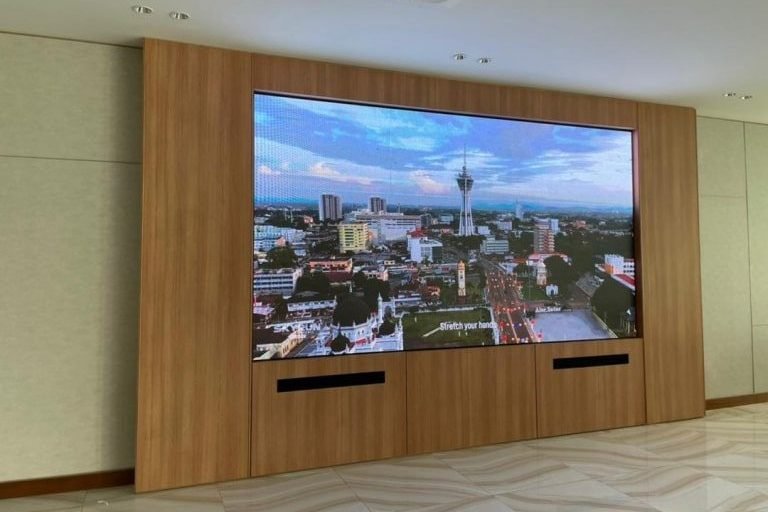
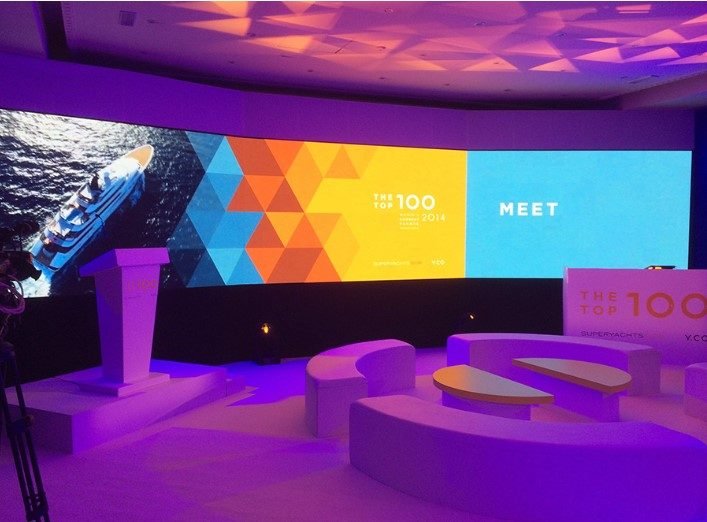
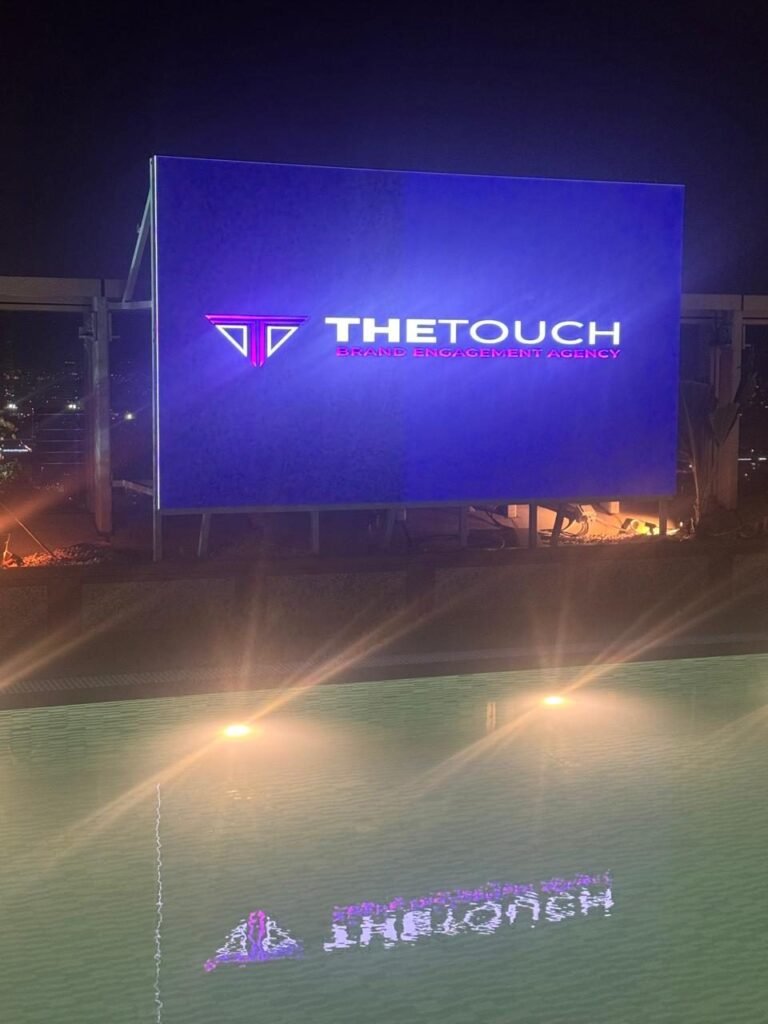
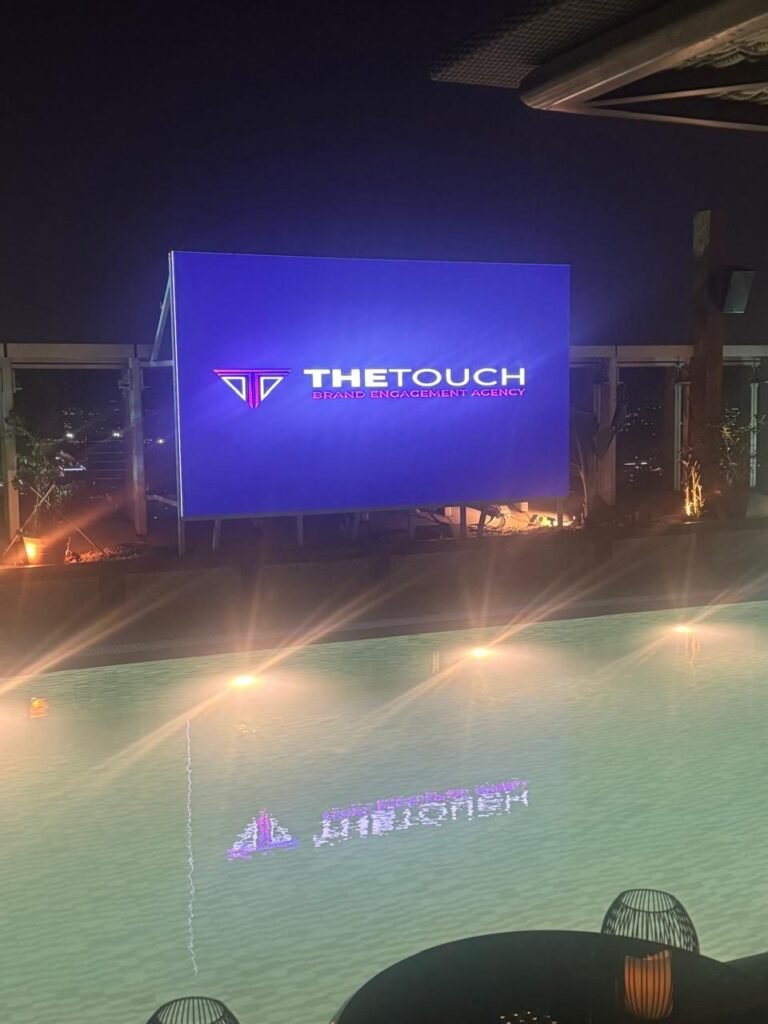
Display screens we installed at exhibitions and events.
Questions About LED Screens for Exhibitions
What buyers ask before a screen goes into the drawing.
Is an LED video wall better than LCD panels or a projector?
It depends on distance and light. LED gives a seamless, bright picture of any size and suits a wall read from the aisle. LCD panels are sharper up close and cheaper when small, which suits demonstrations and touch. A projector only works where the light can be kept low.
What does pixel pitch mean, and how fine should it be?
Pixel pitch is the gap between neighbouring pixels on an LED surface. The finer it is, the closer a person can stand before the picture breaks into dots, and the more the wall costs. Choose it from the position of your closest viewer, not from the finest option on offer.
Can an outdoor screen be used inside the hall, or an indoor one outside?
Neither works well. Outdoor panels are too bright and too coarse for a visitor standing near them, and indoor panels fade in sunlight and are not sealed against dust and rain. For an outdoor event in the Kingdom, ask as well how the screen copes with heat and direct sun during the hours you are open.
How high should the screen sit, and where?
Put the main picture above head height, so it reads over the people standing in front of it, and turn it toward the direction most visitors come from. Keep touch screens and detailed demos lower and at the edge. Avoid the wall behind the counter if staff will stand in front of it all day.
Do LED screens for exhibitions need a power line of their own?
A video wall draws far more than the lighting, so it normally gets a dedicated line, ordered from the organiser before the deadline in the manual. We calculate the load from the plan, with a figure for every screen and every light, so the order matches what the stand really draws. Ask too whether power stays on overnight, because that decides how the player has to start each morning.
Can the screen be hung from the hall roof?
Only where the venue offers rigging points in that hall and the organiser approves the request. The points are ordered in advance, the weight is declared, and the lifting is usually carried out by the venue's riggers. Where hanging is not allowed, the video wall stands on the floor on a braced frame, and the stand design has to make room for it.
Should we hire the screen or buy it?
Hire for a single show or an occasional one: the video wall fits that stand, and storage, spares and repairs are somebody else's concern. Buy when the same screen will work often or serve in a showroom between shows, and count the cases, the spares and the maintenance. LCD panels are cheap enough that buying them is common. Whichever applies, the quote should state it.
Who produces the content, and in what format?
Content normally stays with your team or your agency. What they need early is the exact pixel canvas, the shape, the file format and the delivery date, and they should design for silence, since most loops play without sound. Arabic and English read better as alternating scenes than squeezed into the same scene. The file is then tried on the real player before the show.
What happens if a module fails during the show?
A module is swapped quickly if a spare is in the hall and a hand can reach it, which is why access and spares are settled in advance. Ask the screen supplier who can be reached during show hours. Until the swap, a still image on a dark background hides a dead square far better than a bright film does.
Do you handle the screen as part of the stand, and how do we start?
Yes. The stand is designed around the screen, we build its frame, its mounting and its power routes, and we coordinate with your audio visual supplier or with ours. We have more than one location in the Kingdom, and your stand is built in our own factory and installed by our own team. Message us on WhatsApp at 0567069088 or use the quote page, with the show, its dates and the size of the space, and an itemised quote comes back within 24 hours.
A Screen on Your Next Stand?
Tell us the show, its dates, the size of the space and the job you want the screen to do. The itemised quote that comes back within 24 hours names the screen as a line of its own, with its supplier, its size and its content format written out.
More specific pages on this
If your question is narrower than this page, these are written for one question each.

