
Touch Screen Rental
Touch Screen Rental That Visitors Actually Use
Touch screen rental for an exhibition, a conference or a mall is never only about the panel. A visitor walks up, touches, and either finds what they came for straight away or walks off, so the content, the height, the lock that keeps them inside your app and the plan for a failing hall network weigh as much as the hardware. This page explains the kinds of touch screens you can hire in Saudi Arabia, from a standing kiosk to a touch table, what to run on them, how visitor data is handled and what breaks on the day, so the quote you sign covers all of it.
Why a Touch Screen Earns Its Place on the Stand
A printed wall tells everyone the same thing. Touch screen rental puts a screen on the stand that lets each visitor take the path that concerns them, and leaves you a record of what they chose.
The visitor picks the depth
A distributor asks about the whole range, an engineer wants the datasheet, a family wants the price of one model. A clearly laid out catalogue on a touch screen serves all three from the same spot, without a salesperson reading the brochure aloud to each of them in turn.
Your team is free for real talks
When the screen answers the routine questions, such as the country of manufacture, the sizes available or the address of a branch, your people spend their time with the visitors who are ready to talk about an order or a meeting.
Every touch leaves a trace
A kiosk application can log which pages were opened, which product held attention longest and how many sessions ended in a registration. After the event that log says more about interest on the stand than any headcount at the door.
Two languages on one interface
An Arabic and English interface with a clear language button at the top serves the whole hall. Arabic needs a right to left layout and an Arabic on screen keyboard, and many ready made templates get both wrong, so ask to see the Arabic version before you approve anything.
What Surrounds the Screen Itself
The screen is one line in a larger job. These are its other parts, from teams under the same roof.
Printing & Promotional Gifts
The printed wrap of the kiosk body, floor stickers that lead visitors to it and the giveaway they collect after the quiz. Graphics are printed in 1 to 5 working days.
Acrylic & Wood Fabrication
A clear acrylic surround for a tablet, a mount for a wall panel and the kiosk body itself, all cut on the CNC and laser machines in our factory.
Promoters & Brand Ambassadors
A host beside the screen who invites people to try it, helps a first time user and keeps the queue moving, with a supervisor leading the team.
Branding & Creative Studio
Screen layouts, icons and the attract loop designed in your identity, so the interface looks like your brand and not like a template.
Digital Solutions
The application itself: a catalogue, a quiz, a registration form or a map, built by our digital team in Arabic and English and linked to the database you receive.
Experiences & Events
A launch, a prize draw or a stage moment that the screens feed into, planned with the programme of the day.
Social Media & Content
Photos and short clips of visitors using the screens, ready to post while the event is still running.
Custom Exhibition Stands
The stand that houses the screens, with power, cable routes and lighting drawn around each one from the start.
Kinds of Touch Screens You Can Hire
Each form suits a different job and a different spot. A good quote names the kind, the orientation and what holds the screen up.
The standing kiosk
A portrait screen in a floor standing body, the most common choice in touch screen rental for exhibitions. It serves a single user at a time and needs no table or wall, and the kiosk body hides the computer and cables behind a lockable service door. Its front takes your graphics, and a shelf or a printer slot can be built in.
The touch table
A screen laid flat or slightly tilted inside a table frame, so a small group can lean over it together. It suits a project map, a master plan or a product that several people discuss at once. It needs multi touch that reads more than one hand, and an edge wide enough for a cup to sit away from the glass.
The wall mounted touch panel
A landscape screen fixed to a stand wall or a free standing frame at reach height. It suits a timeline, a product configurator or a video library that one person browses while others watch over a shoulder. The wall behind it carries its weight, so its position is fixed in the stand drawing.
The tablet on a stand
A tablet in a lockable enclosure on a slim pole or a counter mount. It is the light option for registration at the entrance, a short survey or a sign up for a draw, and several can stand in a row where queues form. Its small screen is no place to browse a large catalogue.
A touch frame on a large display
A frame fitted around a big display turns it into a wall that a presenter or a visitor can operate. It impresses in a guided demo but works poorly for self service, because most of the picture sits above the reach of someone standing in front of it.
Capacitive or infrared touch
Capacitive screens, like a phone, answer a light fingertip and ignore a resting sleeve, though they may not read a thick glove. Infrared frames read any finger or a pen, but can count a sleeve, a bag strap or a cup left on a touch table as a touch. Ask which one you are getting and try it with the content you plan to run.
How Touch Screen Rental Runs From Brief to Close
Most touch screen problems on the day were settled weeks earlier, in the content and in the drawing.
The job and the spot
We start with what the screen has to do, who will use it and where it stands: the stand plan, the aisle it faces, the light above it and the nearest power point. That settles the kind, the orientation and the kiosk body before any content is designed.
Content made for a finger
Large targets, a home button on every page, nothing important along the bottom edge and no journey longer than it needs to be. Content can come from your agency or be built by our digital team, and either way it is laid out for the exact screen in portrait or landscape.
The lock and offline mode
The application is set to kiosk mode: it opens by itself at power up, and the system bar, the edge gestures and the browser address bar are hidden. Whatever a visitor enters is stored on the device and sent when the network comes back.
The body and the branding
The kiosk body, the mount for a panel and the frame of a touch table are designed and built in our factory, with the vent for the computer, the cable route and the service door drawn in, then wrapped in your graphics.
Testing before it ships
The kiosk body is test assembled in our factory with the screen fitted and the real content running. Someone who has never seen the app tries every path in Arabic and English while we watch where they hesitate, then we try to break out of the lock to prove it holds.
Install, run and hand over
Our own team installs the kiosk bodies and the branding, stays for the opening and dismantles at the close. The touch screens themselves are supplied for the event, each a named line in the quote with its kind, its quantity and who operates it, and the data is handed to you once the doors shut.
How Long It Takes
Kiosk bodies and mounts
It depends on the design, the number of units and the finish. The quote states the date, counted back from your build day.
The application
It depends on the screens, the languages, the data you collect and the link to your systems. The quote states the date.
Graphics on the kiosks
Printed in 1 to 5 working days once the artwork is approved.
Inside a new stand
A modular stand with new graphics takes 2 to 4 weeks, and a custom stand 6 to 8 weeks from brief to opening, with the screens drawn in.
What Changes a Touch Screen Rental Quote
We publish no price list, because each job is priced from its screens, its content and its days. These are the lines that move a quote, named so offers can be compared on the same terms.
The screens and their form
A tablet on a pole, a standing kiosk and a touch table sit at very different levels. Each screen is a named line with its kind, its orientation, its quantity and who supplies it.
Hire days and build days
The hire runs from delivery to collection, not only over the show days. Build days, a rehearsal day and an extra day for a late close all count.
The application
Adapting a catalogue you already have costs less than a quiz with a score board or a registration form linked to your CRM. Languages, the number of screens and custom design each add work that the quote states.
The kiosk body and branding
A standard mount with a printed wrap is the economical end. A kiosk body drawn in your shape and built in our factory, with lit edges or a printer slot, costs more, and can be kept in our storage for the next event.
Hosts and support
A host per screen or per group of screens, the hours they cover and someone on call to restart a frozen unit are separate lines.
Handling the data
Writing the consent text, storing entries on the device, exporting them and deleting them from the hired units after the event are priced together, because they are one piece of work.
Tell us the event, its dates, the space and what each screen has to do. Within 24 hours you receive an itemised quote in which every screen is a named line with its kind, its quantity and who operates it. Request a quote or message 0567069088 on WhatsApp. When the screens sit on an exhibition stand, see how the whole budget is built line by line in our guide to exhibition stand cost in Saudi Arabia.
Glare, Reach and Cables: Where a Kiosk Should Stand
A glossy screen under hall spotlights, or under daylight in a mall atrium, turns into a mirror, so place it with the light coming from behind or from the side rather than over the visitor's shoulder, and ask for an anti glare film when there is no other way. Keep the kiosk off the line of the main aisle so its queue stays inside your space, and never run a cable across a walkway: route it under a raised floor or inside the kiosk body to a power point ordered from the organiser. For children and wheelchair users, keep the controls in the lower half of the screen, or add a tilted touch table or a lower kiosk beside the standing one. Power and placement approvals belong to the organiser or the mall management, and we prepare the drawings they ask for. If the screen is part of a full immersive corner, start from interactive brand experiences, and quizzes and prize wheels live on interactive games for events. Registration and gate check in systems are explained on event registration website, and a permanent retail unit on mall kiosks. A video wall inside a stand is covered by LED screens for exhibitions, and apps and links to your systems by digital solutions.
Which Touch Screen Fits Your Event
A few questions settle most touch screen rental choices before anyone talks about hardware.
Long browsing or a quick task?
If visitors will leaf through a catalogue or a map, choose a standing kiosk or a wall panel. If the task is a registration, a survey or a sign up for a draw, a tablet on a stand does it, and a row of tablets moves people faster than a single large screen.
How many people at once?
A standing kiosk and a tablet serve one person. A touch table suits a small group in discussion, and a wall panel suits one person operating while others watch.
Is there a wall to carry it?
In a shell scheme the organiser's walls carry no weight, so the answer is a floor standing kiosk or mount. In a custom stand, backing is built behind the wall where the screen goes.
Will the kiosk travel to other events?
For one occasion a standard mount with a printed wrap is enough. For a yearly calendar of shows, a kiosk body made in your shape and stored between dates earns its cost, with only the content and graphics changing.
Do you need data from it?
If the aim is a list of prospects, plan registration, consent and export from the first day. If the aim is information only, ask the visitor for nothing more than a touch.
What Goes Wrong With Touch Screens on Site
Each of these is avoided when the touch screen rental is prepared properly, and costs a great deal in the middle of opening day.
A visitor escapes the app
A swipe from the screen edge or a long press opens a system menu, and the next visitor finds a desktop or a browser on someone else's website. Kiosk mode is tested by trying to break it before shipping, not after someone complains.
The hall network fails
Exhibition Wi-Fi slows down when the hall fills, which is exactly when you need it. A good application runs fully offline, keeps entries on the device and sends them when the network returns or over a separate data SIM.
A screen freezes in the afternoon
A computer sealed inside a body with no ventilation heats up slowly until it stops. Vents are drawn into the kiosk body, and the device is set to restart and reopen the app by itself after a power cut.
The last visitor's details on screen
Someone leaves a half finished form with their name and number, and the next person reads it. Each session needs an idle timeout that clears the fields and returns to the home screen.
Glare that hides the content
A spotlight above the screen or a glass shopfront opposite it makes the content unreadable from where people stand. The spot is checked under the real lighting, the screen is turned, or a matt film is added.
A grubby screen nobody touches
Fingerprints build up quickly, and people avoid a dirty screen. It is wiped with a dry microfibre cloth and screen safe wipes between busy rounds, liquid is never sprayed straight onto the glass, and hand sanitiser stands beside it.
Body, Branding and Screen From One Team
Design, CNC and laser cutting, joinery, paint, acrylic, large format print and installation are all done by us, which is why the kiosk is drawn around the screen it will hold instead of being adjusted after the screen arrives. We have worked for Saudia, Ascenda, Oceanera, Ganache, Al Khaleej Al Gharbiya and Johnson & Johnson MedTech.
Kiosks and Corners From Our Factory
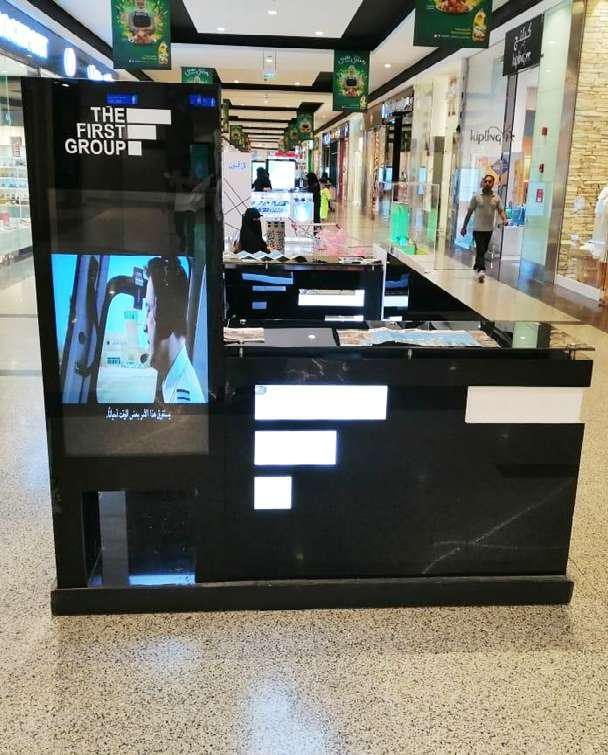
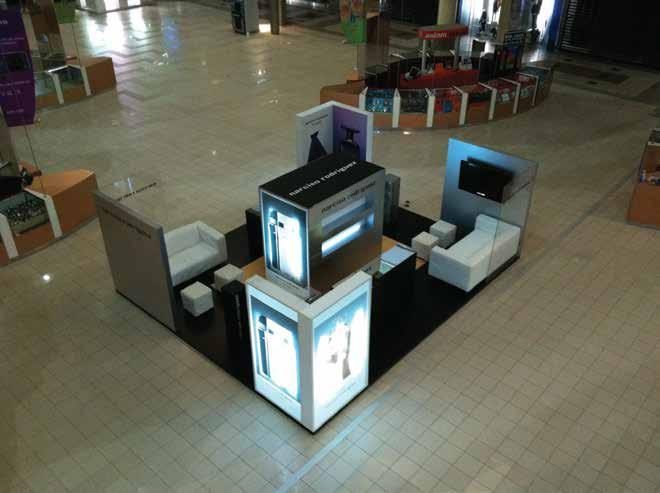
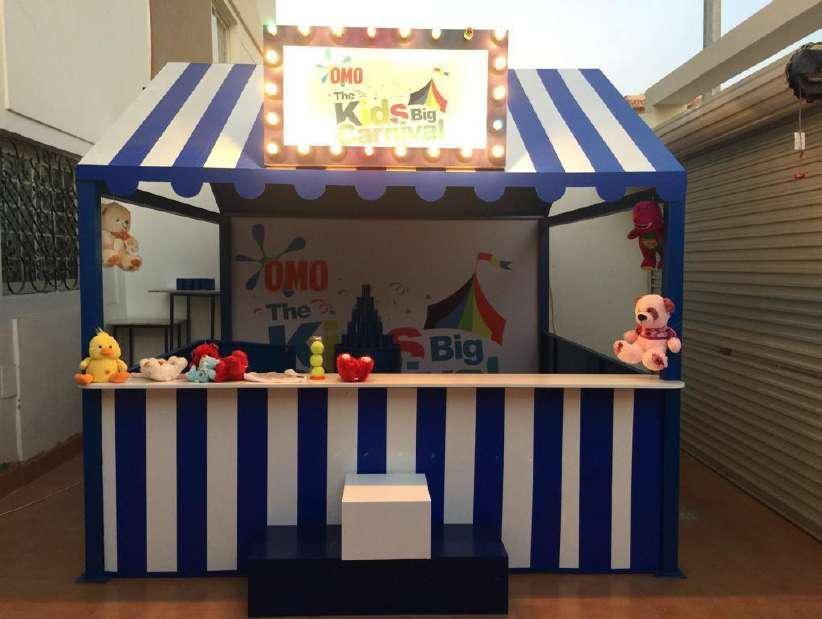
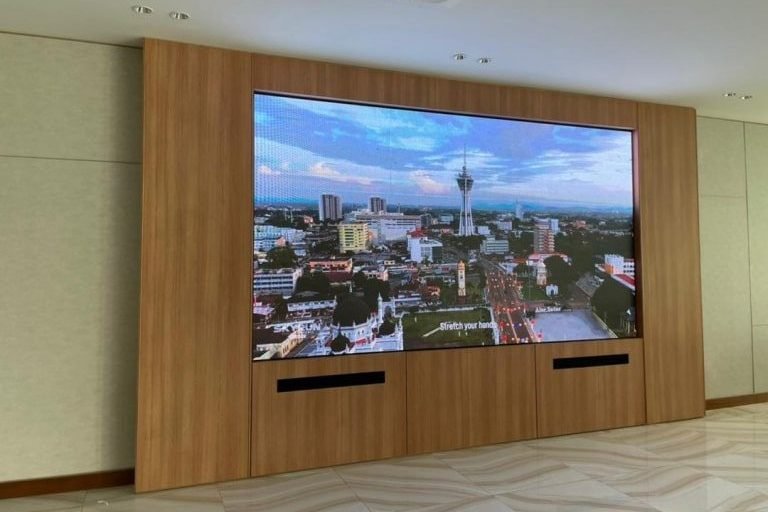
Mall kiosks and corners we built and installed for our clients.

Questions About Touch Screen Rental
What buyers ask before they sign for the screens.
What kinds of touch screens can we hire for an exhibition?
A portrait screen in a standing kiosk, a touch table, a wall mounted panel, a tablet on a stand and a touch frame on a large display. The kind follows the job and the spot: long browsing suits the kiosk and the wall panel, group discussion the table, and quick registration the tablet.
What can we put on an interactive kiosk?
A product catalogue, a quiz or a short game, a registration form that captures leads with consent, a map or a directory of the venue, a survey, or a sign up for a prize draw. A screen that does a single job clearly works better than a menu of everything the company does.
Who builds the content, and can our agency do it?
Your agency can build it, or our digital team can, in Arabic and English. If it comes from your agency, we send them the screen type, the orientation and the operating system early, and we test their files on the actual device before the event.
How do you stop visitors leaving the app?
With kiosk mode: the app opens by itself at power up, the system bars, edge gestures and browser bar are hidden, and only someone with the admin code can exit. The lock is tested by trying to break out of it before the kiosk ships.
What happens if the hall Wi-Fi goes down?
An application built for events runs offline, stores entries on the device and sends them when the network returns. If the data needs a live connection, ask for a separate data SIM as a line in the quote.
How is visitor data collected, and where does it go?
Through a short form with only the fields your sales team really uses, and a clear consent line in line with the Saudi Personal Data Protection Law. You receive the list after the event or it goes to your CRM, and it is then deleted from the hired devices.
How are the screens kept clean between users?
They are wiped with a dry microfibre cloth and screen safe wipes between rounds, and liquid is never sprayed onto the glass, because it seeps into the frame. Hand sanitiser beside the kiosk cuts fingerprints and reassures visitors.
Can children and wheelchair users reach the screen?
On a standing kiosk the key controls go in the lower half of the screen, with nothing essential at the top. Where needed, a lower kiosk or a tilted touch table that a seated person can reach is added, with clear floor space in front for a wheelchair.
Can the kiosk carry our branding?
Yes. The kiosk body and the screen mounts are designed and built in our factory and wrapped in your graphics, or the body is shaped to your brand in acrylic, wood and light. It can be kept in our storage between shows if you want to use it again.
Where is the kiosk built, and how do we start?
We have more than one location in the Kingdom. Your kiosk body is built in our own factory and installed by our own team. Send the event, its dates and what you want the screens to do on WhatsApp at 0567069088 or through the quote page, and an itemised quote follows within 24 hours.
Touch Screens for Your Next Event?
Send the event, its dates and the space for your touch screen rental. Within 24 hours you have an itemised quote that names every screen, every kiosk body, the content and who operates each device.
More specific pages on this
If your question is narrower than this page, these are written for one question each.

